

Win the next job from the one you're on
The neighbour who wanders over to ask about the renovation is the best lead you'll get all month. Hand them a card that opens your finished jobs, your licence and a quote request, and you'll hear from them before the job's done.
Free plan, no card required.


Quote request
Switchboard upgrade, Bexley
Van decal scans
17 this month
Example data
The problem
Word of mouth needs something to point at
Referrals win most trade jobs, but a referral is just a name and a number scribbled on the back of a receipt. The customer can't see your work, check your licence or ask for a quote at 9pm when they're finally sitting down.
Your van, your site sign and your invoices are seen by hundreds of people a week, and none of them can tap through to you.
How SwfTap solves it
What you'll use, in plain language
- All plans
Your work, front and centre
The Tradie template opens with you and your van, then your trade and the area you cover, a quote button and a gallery of recent jobs.
24 designed templates → - All plans
Before and after
Add photos of finished jobs with a caption for each, so people see the standard of your work.
Photo galleries → - All plans
Quote requests after hours
A form for the job, suburb and phone number means enquiries arrive while you're off the tools.
Lead capture forms → - 2 on Starter, 100 on Pro, unlimited on Team
Codes for the van and the site
Put a QR code on your van, site signs, invoices and fridge magnets. Each one tracks its own scans.
Dynamic QR codes → - Cards work on every plan; card links on Team
A card that doesn't get lost
Tap your NFC card to the customer's phone and your details are saved, with no paper to lose in the ute.
NFC cards and tags → - All plans
Text me, don't call
WhatsApp and SMS buttons open a message to you with the first line already written, so a customer can send a photo of the job while you're on the tools.
Message me buttons →
A real template
Start from Tradie
The Tradie template puts a portrait of you at the van up top, your trade and service area underneath, buttons for a free quote and emergency call-outs, and a gallery of recent jobs, so the page reads like a reference.
Apply it and every block stays editable. Your own photo replaces the sample portrait, and the sample links are cleared so nothing points at someone else's business.
Also a good fit
How to set it up
4 steps to set it up
Step one is the quick part: pick a template, add your photo and publish. The rest can wait until you need it.
- 1
Start from Tradie
Add your photo, business name, licence number and the suburbs you cover.
Choose a template
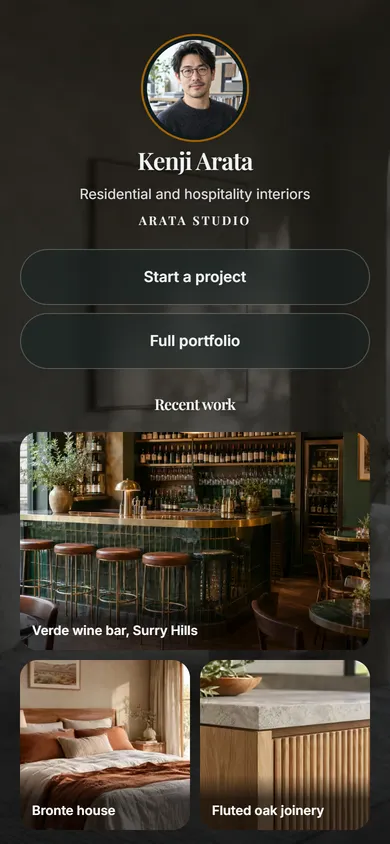
24 templatesTradie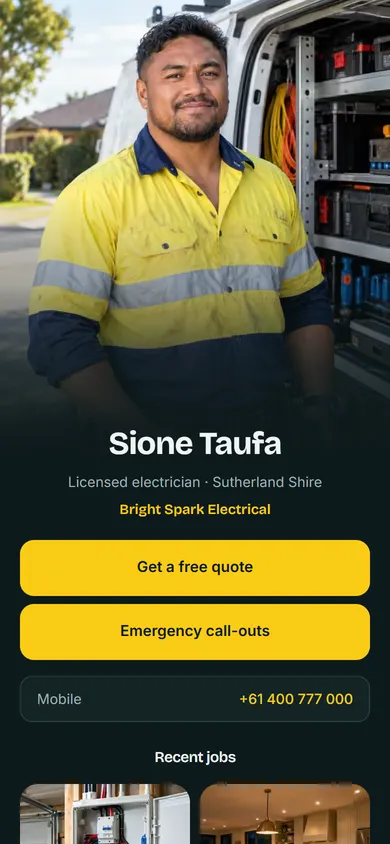 Architect & Interiors
 + 22 moreUse Tradie
Example data - 2
Show finished jobs
Upload a few photos of your best recent work, each with a short caption.
Product cards
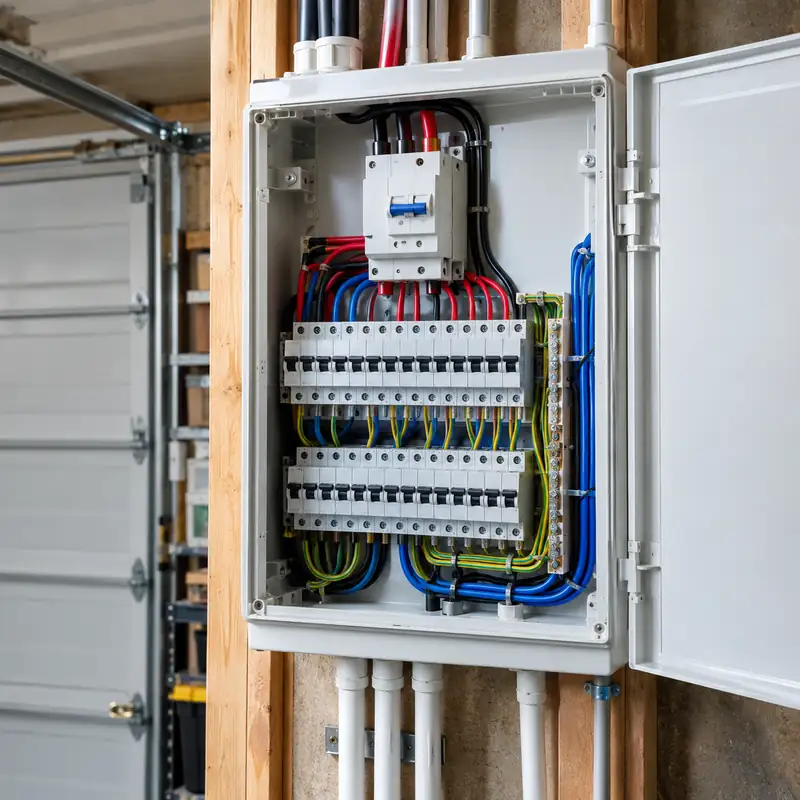
Switchboard upgrade

Kitchen lighting
+ Add item · Buy Now with Stripe
Example data - 3
Add a quote form
Ask for the job type, suburb and phone number. Every request goes to Leads.
Leads
Export for your CRM- KDKaren DoyleSwitchboard upgrade, BexleyLead form20m ago
- LPLuke PhamDownlights, 3 roomsLead formLast night
- FGFiona GreyNeighbour at Kirrawee jobShared backTue
Example data - 4
Put your code everywhere
Download your QR code for the van, signs and invoices, and order an NFC card for handing out on site.
 SwfTapTap to connect
Example data

Questions about SwfTap for trades
More answers in the help centre, or see pricing.
Other ways people use SwfTap
All use cases →




Set up SwfTap for trades today
Free plan, no card required. Upgrade when you need more.