

Create it once. Share it with a tap. See what happens next.
Every way people use SwfTap follows the same four steps. Here's what each one looks like on your screen, and on the phone of the person you're sharing with.
Step 1 · Create
Build your page from a template
Pick one of 24 photo-led templates made for a line of work, then make it yours: your photo, your words, the buttons you want people to press. Everything is a block you can move, restyle or delete, and changes go live when you save.
Choose a template
24 templates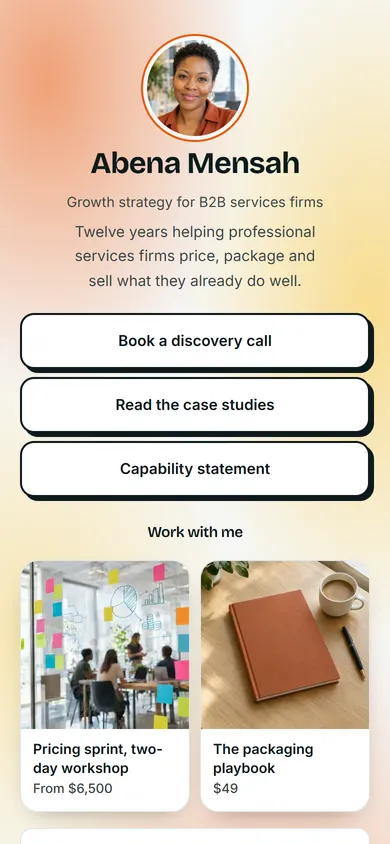


Blocks
- Photo
- Name and role
- ButtonsBook a discovery call, Read the case studies
- Contact links

Step 2 · Share
Share it with a tap, a scan or a link
Hold an NFC card to someone's phone, let them scan your QR code, or send the link. It opens in their browser on iPhone or Android with nothing to install, and one more tap saves your details to their contacts.

Sales Rep demo
swftap.com/template-preview/sales-rep
DynamicStep 3 · Follow up
Capture the people who respond, and follow up while they're interested
Visitors can send their details back to you or fill in a form, and every one lands in Leads. When it's time to send the proposal, send it as a Secure Share link: you'll know when it's opened and which pages were read, and you can send the agreement for e-signature from the same place.
Share your details with Liam
New secure share
- Password
- ••••••••
- Expires
- In 14 days
- Alert me when it's opened
Signature request
Veritas-proposal-Q4.pdf
- Dr Hannah LeeToday 10:42amSigned
- Mark BensonCode confirmedViewed
- YouSigns lastWaiting
Step 4 · Measure
See which card, code and document earned its keep
Profile views, button clicks, QR scans and document reads all land in one dashboard. Compare one event with another, one signboard with the next, and put next month's effort where it paid off.
Profile views, last 7 days
430 +24%
- Book a free appraisal112 clicks
- Open homes this weekend64 clicks
- 4 bed Federation, Annandale31 clicks
Leads
Export for your CRM- MOMargaret O'BrienAppraisal, 12 Trafalgar StLead form8m ago
- JWJames WuContract for 3 bed, LeichhardtLead form1h ago
- RFRosa FierroOpen home, SaturdayShared backYesterday
On their phone
What the other person sees
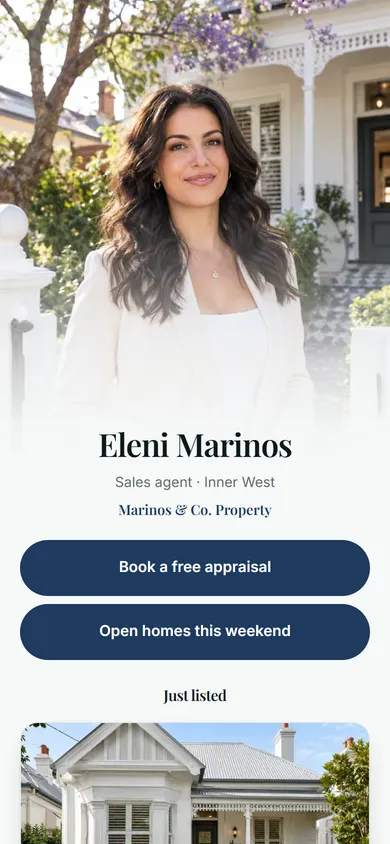
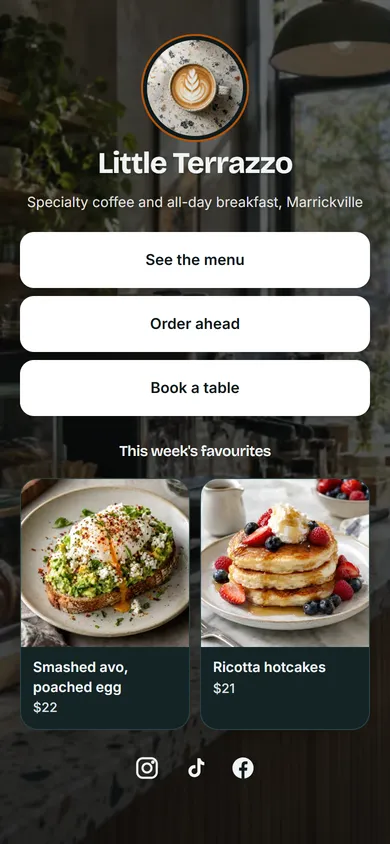
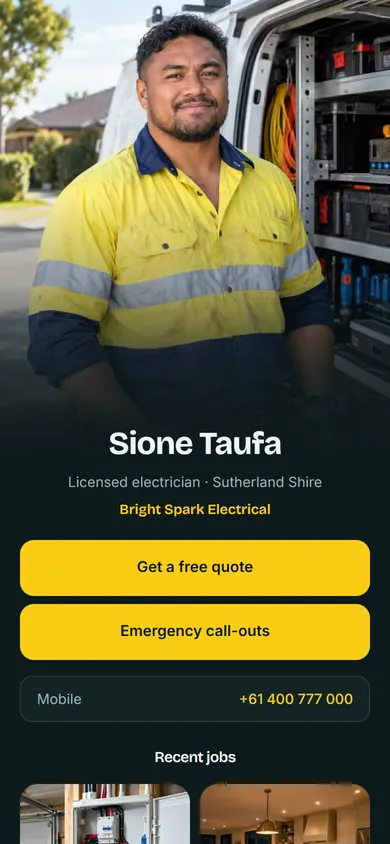
A finished page that looks like your business, not a list of links. These are real SwfTap templates, rendered exactly as a visitor sees them.
- Real estate agent
- Café
- Electrician


Pick a template and publish
Free plan, no card required. Upgrade when you need more.